

v0
4.5/5Coding ToolsGenerate React components and UI from a text prompt.
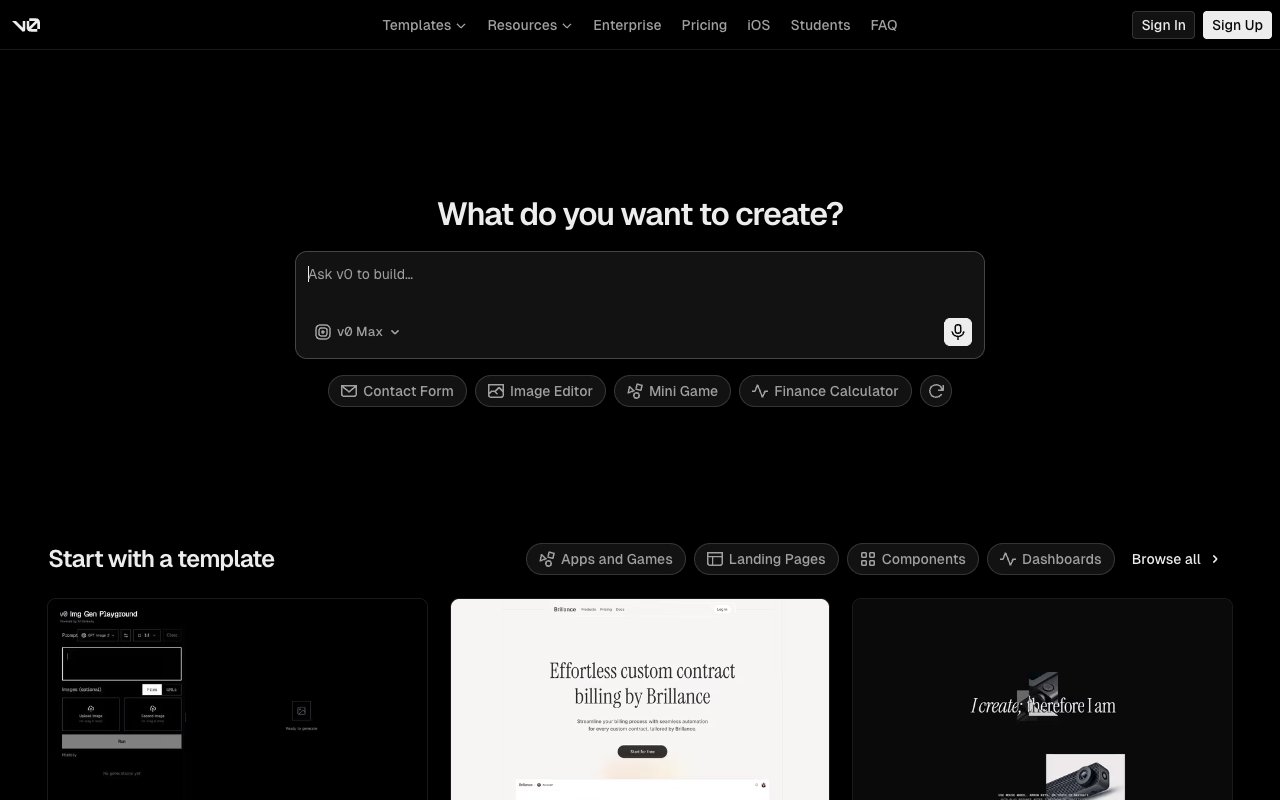
v0 is a UI generation tool by Vercel. Describe a component or interface in plain text and v0 produces working React code using shadcn/ui and Tailwind CSS. The output is clean, production-ready code that drops into any Next.js or React project without modification.
Tovorify score
Highly Rated
#3 in Coding Tools
| Category | AI Coding Tools |
| Pricing | Free plan (7 messages/day). Plus at $30/user/month. Business at $100/user/month. |
| Free plan | Yes |
| Best for | Generating React UI components from a description, Prototyping dashboards and landing pages quickly, Developers who want shadcn/ui output without writing boilerplate, Designers handing off to developers with a working component, Teams using Next.js and Tailwind CSS |
Plans at a glance
USD per month
- Free$0
- Plus$30/user
- Business$100/user
Pros and cons
What works
- Output is production-quality React with shadcn/ui and Tailwind — not throwaway code
- Iterative chat interface lets you refine components without rewriting from scratch
- Built by Vercel — deep integration with Next.js deployment workflow
- Free plan is genuinely useful for regular component generation
Worth knowing
- Output is React-only — not useful for Vue, Angular, or non-JavaScript stacks
- Not a full IDE — generates components but does not manage an entire project
- Complex interactions and state management often need manual refinement
- Requires basic React knowledge to evaluate and integrate the output
What v0 does
v0 is an AI tool built by Vercel that generates React UI components from text descriptions. You describe what you want — "a pricing table with three tiers, a highlighted middle plan, and a monthly/yearly toggle" — and v0 produces working React code that implements it. The output uses shadcn/ui components and Tailwind CSS, and it runs in a live preview inside the browser without any setup.
The distinguishing factor compared to other AI code generators is output quality. When ChatGPT or Claude generates a React component, the result often needs significant cleanup: inconsistent Tailwind classes, missing accessibility attributes, components that do not match any design system. v0 produces code that follows shadcn/ui conventions consistently, which means the output integrates into an existing codebase that uses the same stack without refactoring.
The chat interface is iterative. After the initial generation, you continue the conversation: "make the button larger", "change the colour scheme to match this hex value", "add a loading state". Each message refines the component without throwing away the previous output. This makes v0 behave more like a design collaborator than a one-shot code generator.
The free plan gives 200 credits per month — roughly 20–30 significant generations depending on complexity. Premium at $20/month increases the limit substantially for regular use. Team at $30/user/month adds shared projects and higher limits for development teams. Full details are at v0.dev.
Why the output quality matters
Most AI code generation tools produce code that works but does not read as if a senior developer wrote it. The Tailwind classes are verbose or inconsistent. The component structure does not match the conventions of the surrounding codebase. Accessibility attributes are missing. State management is handled in ways that create problems at scale.
v0's output avoids most of these issues because it has a fixed, well-defined output target: shadcn/ui components with Tailwind CSS in a React environment. Shadcn/ui is itself a thoughtfully designed system with established conventions for how components should be structured. v0 is essentially a specialised generator for that specific system, which is why it produces better output than a general-purpose AI generating arbitrary React.
In practical terms, this means a developer can take v0 output and put it into a production Next.js project with minimal modification. The import paths work. The Tailwind classes follow the project's existing conventions. The components are accessible. The code is readable. This is a meaningful difference from generating a component in ChatGPT and spending 20 minutes cleaning it up before it is usable.
For developers using Cursor as their main editor, v0 works well as a companion tool: generate the component layout in v0, then refine the logic and state management in Cursor where the full codebase context is available. v0 handles the visual structure; Cursor handles the integration. The two tools address different parts of the frontend development workflow.
v0 vs Lovable and Bolt
v0, Lovable, and Bolt all generate UI from natural language, but they operate at different levels of abstraction and are suited to different users.
v0 generates individual components. You ask for a data table, a nav bar, a form — you get a component. It is a tool for developers building an application who want to speed up the UI implementation of specific pieces. v0 does not scaffold an entire application, manage a database, or handle routing. It produces a component that the developer integrates into the rest of the project.
Lovable and Bolt generate entire applications. You describe an app — "a task management tool with user authentication and a Kanban board" — and they scaffold a working full-stack application with routing, database connections, and deployed infrastructure. This is faster to get from idea to running app, but the output is an entire application that is harder to selectively extract from if you just needed one component.
The audience is different as a result. v0 is for developers who already have a project and want to accelerate UI implementation within it. Lovable and Bolt are for people who want to go from an idea to a running product without building from scratch. A technical founder who wants to ship an MVP quickly might choose Lovable. A frontend engineer who needs a data table component for an existing dashboard will reach for v0.
For non-technical users who want to build a product without writing code, Lovable is more accessible. v0 assumes you know what React is, understand Tailwind classes, and can read and modify the output code.
Using v0 for design prototyping
One of the most effective uses of v0 is as a prototyping tool for design handoff. A designer can describe an interface in v0 and get a working, interactive React component that a developer can take directly into the codebase. This eliminates the gap between a Figma mockup and working code — the prototype is the code.
The workflow works particularly well for teams using Next.js and shadcn/ui already. The designer generates a component in v0, iterates until the visual result matches the intent, and hands the file to the developer. The developer does not need to translate a static Figma frame into code — the translation is already done. The remaining work is integrating the component into the application and connecting it to data.
For more complex interfaces — multi-step forms with validation, data tables with sorting and pagination, dashboards with real-time data — v0 gets the visual structure right but the interaction logic often needs manual work. A multi-step form will render correctly but the validation logic and step transitions need a developer to implement properly. v0 is better at layout than at behaviour.
v0 also generates landing pages well. A marketing team can describe a page structure and get a working React component that a developer deploys to Vercel in minutes. For teams that already use the Vercel platform — where v0 is tightly integrated — this represents a genuinely fast path from content brief to live page. The v0 documentation covers the deployment integration in detail.
Who should not use v0
Do not use v0 if your stack is not React. The output is React with Tailwind and shadcn/ui. There is no Vue output, no Angular output, no plain HTML output. If your project uses a different framework, v0 is not useful for direct integration — you would need to manually translate the output, at which point the time savings disappear.
Avoid v0 as a replacement for a full IDE or AI code assistant. It generates components; it does not understand your whole codebase, manage files, handle routing, or interact with your database. For tasks that require understanding the full project context — debugging a production issue, refactoring across multiple files, adding authentication — Cursor or Devin Desktop (formerly Windsurf) are the right tools. v0 is an accelerator for one specific part of the workflow, not a replacement for the entire development environment.
Do not use v0 if you are a non-technical user who wants to build a product without writing code. v0 requires knowing what to do with the output — how to install it, where to put it, how to connect it to data. For non-technical founders who want to go from idea to working product without that knowledge, Lovable or Bolt are more appropriate.
And if your primary need is complex business logic, backend code, or API development, v0 does not address those areas at all. It is a frontend UI tool specifically. For backend work, a general-purpose AI coding assistant is more appropriate.
Our verdict
v0
4.5/5v0 is a UI generation tool by Vercel. Describe a component or interface in plain text and v0 produces working React code using shadcn/ui and Tailwind CSS. The output is clean, production-ready code that drops into any Next.js or React project without modification.
Best for
Generating React UI components from a description, Prototyping dashboards and landing pages quickly
Pricing
Free plan (7 messages/day). Plus at $30/user/month. Business at $100/user/month.
Frequently Asked Questions
Articles about v0
v0 compared to alternatives

Founder, Tovorify — reviews every tool on this site