

Cursor
4.7/5Coding ToolsThe AI code editor built for professional developers.
Cursor is an AI code editor built on VS Code, owned by SpaceX since August 2026. It understands your entire codebase, edits multiple files at once and runs cloud agents. Since October 2026 it is sold as part of The X Subscription, with Grok and Cursor's own Composer models included and Claude or GPT billed separately.
Tovorify score
Highly Rated
#1 in Coding Tools
| Category | AI Coding Tools |
| Pricing | Free plan (limited). Plus $8/month (Grok only). Premium $30/month. Super $100, Ultra $200. Teams from $30/user/month. |
| Free plan | Yes |
| Best for | Professional software development, Large codebase navigation, Multi-file refactoring, Code review and debugging |
Plans at a glance
USD per month
- Free$0
- Plus$8
- Premium$30
- Super$100
- Ultra$200
- Teamsfrom $30/user
Pros and cons
What works
- Deep understanding of your full codebase
- Multi-file editing and refactoring
- Familiar VS Code interface — no learning curve for existing users
- Grok and Composer models included; Claude, GPT and Gemini available at API price
Worth knowing
- Requires existing coding knowledge to use effectively
- Can be slow on very large codebases
- Pro plan is required for serious daily use
How Cursor works
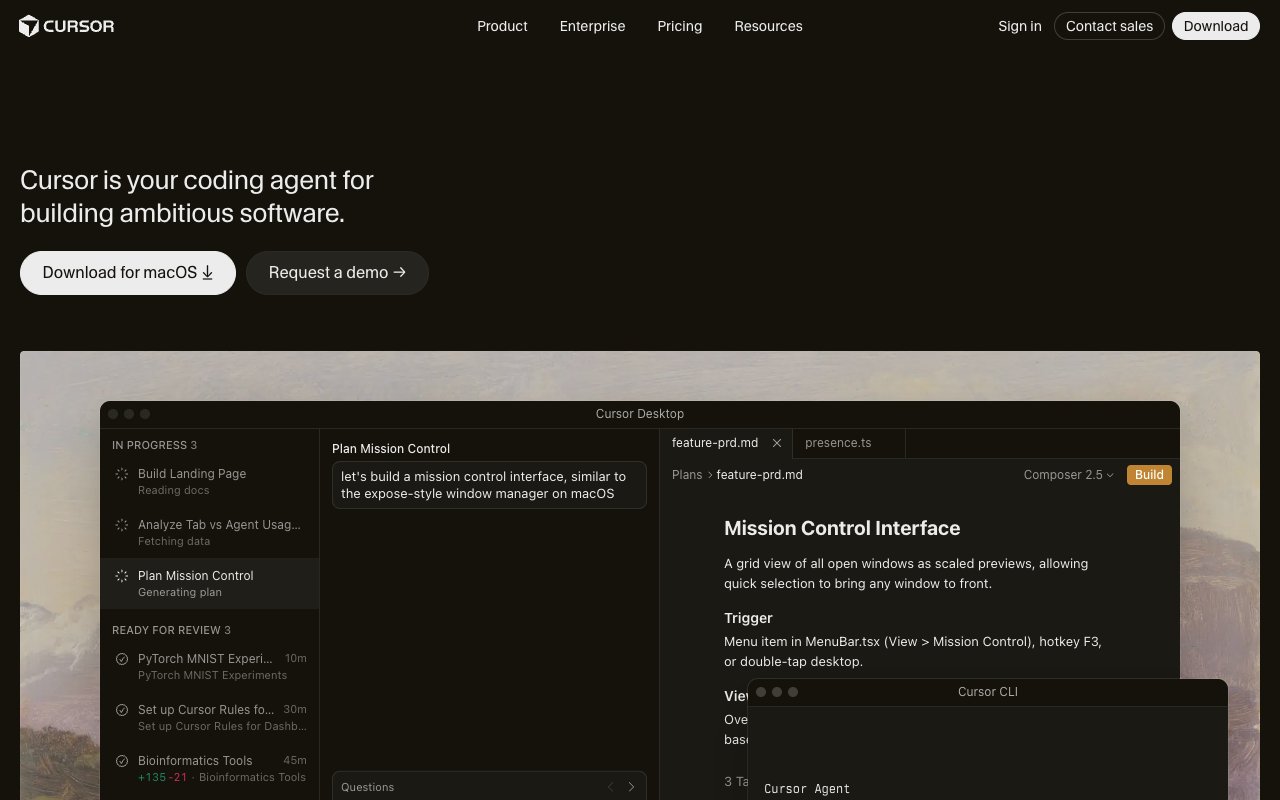
Cursor is a fork of VS Code — the most widely used code editor in the world. If you already use VS Code, switching to Cursor has essentially zero learning curve. All your extensions, keybindings, and settings carry over. The difference is that every part of the editor has been rebuilt around AI.
The main AI features: Tab completes your code before you finish typing (more capable than Copilot's suggestions), Cmd+K edits selected code inline based on a natural language instruction, and the Chat panel answers questions about your codebase with full context of the files you have open. The standout feature is Composer — a multi-file editing mode where you describe a change and Cursor edits every affected file at once.
Tab and Composer do very different things. Tab completion predicts your next line based on what you have already typed — it is reactive and fast. Composer is intent-driven: you describe a change in plain language, Cursor generates a diff across every affected file in the project, and you review and accept or reject changes file by file. Tab is for flow; Composer is for intent.
The Chat sidebar works on any file without leaving the editor. Three commands make it precise: @file scopes a question to a specific file, @symbol jumps directly to a named function or class, and @docs points Cursor at any external documentation URL — it fetches the docs and incorporates them into context for library-specific questions. Model choice is per-request: stay on the included Grok and Composer models for most work, or switch to Claude, GPT or Gemini (billed at API price) when a task needs them.
Codebase indexing
What makes Cursor different from GitHub Copilot is codebase indexing. Cursor builds a semantic map of your entire project — not just the file you have open. When you ask "where is the authentication logic?" or "add error handling to every API call", Cursor knows where everything is without you having to navigate to it.
On a 10,000-line project, this is useful but not essential. On a 200,000-line production codebase, it is the reason engineers at companies like Stripe, Vercel, and Linear have adopted Cursor as their primary editor. The Cursor documentation explains how to configure codebase indexing for large repositories. The AI understands the project well enough to make changes that do not break things elsewhere.
Two features extend indexing in practice. The .cursorrules file lives at the repo root — a plain text file where you write permanent instructions Cursor follows on every request: "always use async/await, never callbacks" or "this project uses TypeScript strict mode." You write it once; Cursor applies it every session without repeating yourself in chat. The @codebase command tells Cursor to search the entire indexed repo before answering, rather than relying only on open files — useful for "where is X defined?" questions that span multiple packages.
The @docs command complements this: point it at any documentation URL and Cursor fetches and incorporates those docs into context for library-specific questions. Indexing handles up to around 200,000 files. Beyond that, .cursorignore configuration — which works like .gitignore — keeps performance reasonable by excluding generated files and large dependency directories.
Models and pricing (October 2026)
Cursor changed its pricing on October 12, 2026, after SpaceX acquired it. New customers choose from Free, Plus ($8/month), Premium ($30/month), Super ($100/month) and Ultra ($200/month). Full details at cursor.com/pricing.
The Free plan gives limited agent and chat requests, enough to evaluate the editor. Plus runs Grok models only and has no cloud agents or code reviews, so it is not a real coding plan. Premium is the practical starting point: 4x the usage of Plus, cloud agents and automations, AI code reviews through Bugbot, and access to third-party models.
Each paid plan has one usage pool, shared with Grok products, that refreshes weekly. It covers Cursor's own models: Grok 4.7, 4.6 and 4.5, and Composer 2.5. Claude, GPT and Gemini are available on Premium and above but billed separately at API list price, from prepaid credit with optional auto top-up and a monthly cap.
Teams starts at $30 per user per month, with pooled usage, SSO, admin controls, usage analytics and the option to mix seat tiers. Existing subscribers on the old Pro ($20), Pro+ ($60) or Teams plans can keep them for now. The Cursor pricing guide explains every plan and when to switch.
Who Cursor is for
Cursor is for professional developers — people who write code for a living and want AI integrated deeply into their workflow rather than bolted on as an afterthought.
It is particularly well-suited to: engineers working on large codebases who need the AI to understand the full project context, teams doing significant refactoring or migrating between frameworks, and developers who already use VS Code and want to upgrade without changing their environment. Teams already using GitHub Copilot as a plugin often switch to Cursor when they need deeper codebase understanding than a plugin model can provide.
Who should not use Cursor
Cursor is not a no-code tool. The AI generates code that you need to understand, review, and sometimes fix. If you do not know what a React component is or what a SQL query does, Cursor will not help you — it will generate code you cannot evaluate, and you will not know when it is wrong.
For non-developers who want to build something, Lovable is the more appropriate starting point. For developers who primarily work in JetBrains IDEs, note that neither Cursor nor Windsurf (now Devin Desktop) offers a JetBrains plugin — both are standalone VS Code forks. GitHub Copilot remains the practical AI option inside JetBrains.
Our verdict
Cursor
4.7/5Cursor is an AI code editor built on VS Code, owned by SpaceX since August 2026. It understands your entire codebase, edits multiple files at once and runs cloud agents. Since October 2026 it is sold as part of The X Subscription, with Grok and Cursor's own Composer models included and Claude or GPT billed separately.
Best for
Professional software development, Large codebase navigation
Pricing
Free plan (limited). Plus $8/month (Grok only). Premium $30/month. Super $100, Ultra $200. Teams from $30/user/month.
Frequently Asked Questions
Articles about Cursor
Cursor compared to alternatives

Founder, Tovorify — reviews every tool on this site