

Bolt
4.3/5Website BuildersBuild and run web apps directly in your browser.
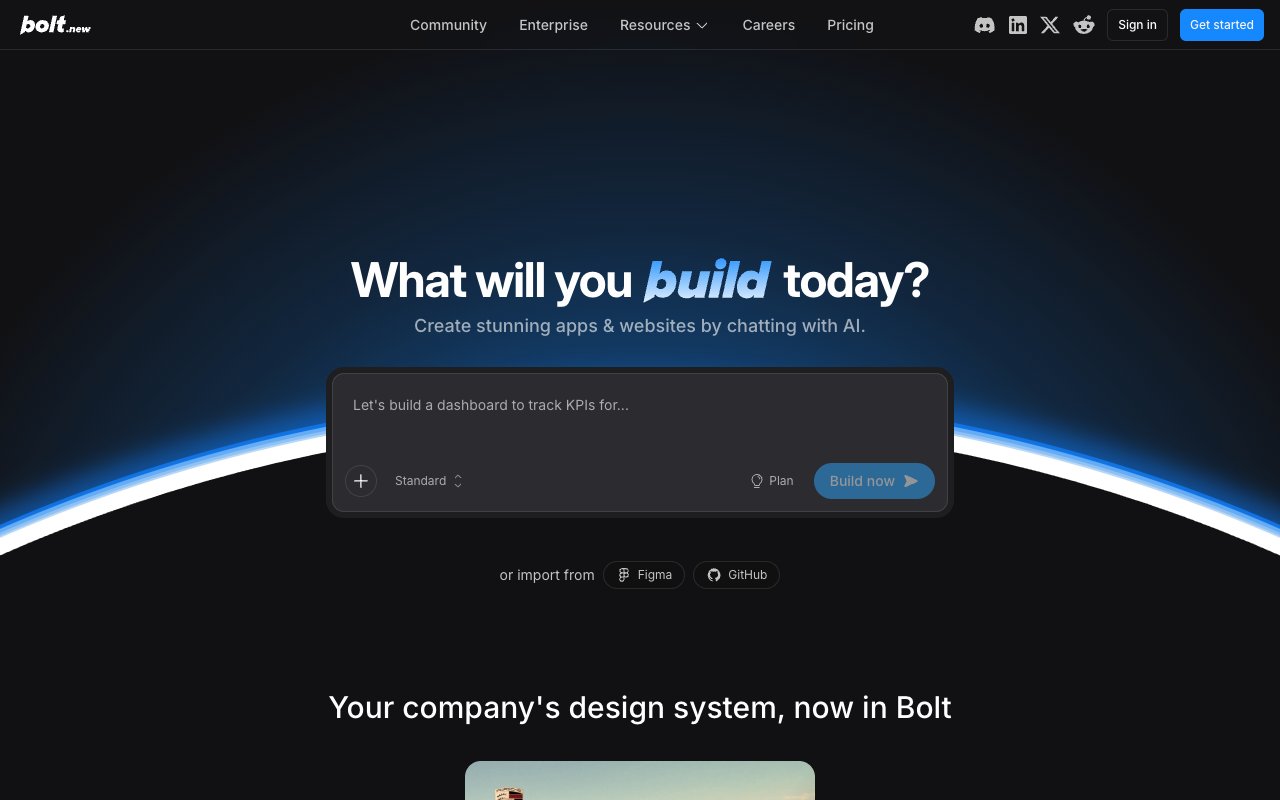
Bolt (bolt.new) by StackBlitz is a browser-based AI app builder. You describe a project, Bolt generates the code and runs it in a live preview, then hosts it — with databases included on every plan. It supports React, Next.js, Vue, and other frameworks. Best for fast prototypes and simple hosted apps.
Tovorify score
Recommended
#5 in Website Builders
| Category | AI Website Builders |
| Pricing | Free plan (1M tokens/month, 300K daily limit, hosting and databases). Pro at $25/month ($18 billed yearly, 10M tokens). Teams at $30/member/month ($27 billed yearly). |
| Free plan | Yes |
| Best for | Quick prototypes, Landing pages and simple hosted apps, Demo apps, Beginners learning web development |
Plans at a glance
USD per month
- Free$0
- Pro$25
- Teams$30/member
Pros and cons
What works
- Runs entirely in the browser — no local setup needed
- Hosting and unlimited databases on every plan, including Free
- Largest free allowance of the main AI app builders: 1M tokens a month
- Exports the full project or pushes to GitHub
Worth knowing
- More of the backend design is left to you than in Lovable
- Can struggle with complex multi-page applications
- Free plan has a 300K daily token limit and Bolt branding on sites
How Bolt works
Bolt runs entirely in your browser, powered by StackBlitz's WebContainers technology — a system that runs a full Node.js environment in the browser without any local installation. You describe what you want to build, Bolt generates the code, and a live preview appears in the same window. You can share that preview URL with anyone. The full technical documentation for WebContainers is at developer.stackblitz.com.
Supported frameworks include React, Next.js, Vue, Svelte, and Astro. Bolt can scaffold a new project from scratch or work with an existing GitHub repository. The workflow is genuinely fast — for simple projects, you can have something running in under five minutes.
WebContainer executes Node.js via WebAssembly — there is no virtual machine and no backend server spun up per user. This keeps startup instant and requires no network round-trip to an external runtime. The tradeoff is npm package compatibility: pure JavaScript packages install without issue, but packages that rely on native binaries — such as sharp for image processing or sqlite3 for database access — are not supported. Bolt surfaces an error when you try to install one and suggests a JavaScript-native alternative where it can.
Each session operates within a context budget. For straightforward projects this is rarely a problem. For longer build sessions that span many prompts and file edits, the budget can run out — at which point you either start a new thread or manually summarise what was built and paste it as a fresh starting prompt. Iterative prompting is how most productive Bolt sessions work: after the initial build, you type changes like "make the nav sticky" or "add email validation to the contact form," and Bolt applies a targeted diff to the existing files rather than regenerating the project from scratch.
What Bolt handles well
Bolt excels at single-page apps, dashboards with static data, landing pages, and demo builds. If you need to show a client what a UI could look like, Bolt is the fastest way to get there. If you are learning a new framework and want to see how components fit together, the live preview makes the feedback loop tight.
For developers who already know how to code, Bolt is most useful as a scaffolding tool — generate the boilerplate, then take the exported code and build from there. The generated code is readable and maintainable, which is not always the case with AI-generated codebases.
Framework selection is either explicit or natural language. You can open the framework picker and choose React, Vue, Angular, Astro, Svelte, Remix, or Next.js directly, or describe your project and Bolt infers the right choice. Each framework is pre-wired with Tailwind CSS by default, so the visual output looks clean without any configuration on your part.
Bolt ships with a set of starter templates — a blank canvas, a portfolio page, a SaaS landing page, a to-do app, and an API explorer, among others. These are not static HTML exports. They are fully runnable development environments: component-level code with typed props, hot reload, and a live preview URL you can hand to a client on the spot. A SaaS landing page template comes with a pricing section component, a feature grid, and a hero block — all editable through further prompts.
Hosting is built in: Bolt hosts your app on every plan, including Free (with Bolt branding), and on your own domain from Pro. If you prefer to manage your own deploy pipeline, you can export the project or push it to GitHub, and the repository is clean enough to drop into a CI/CD setup.
Where Bolt falls short
Bolt's backend has improved a lot: its pricing page lists unlimited databases on every plan and a choice of database provider on Pro. The trade-off is that more of the backend design is left to you. Lovable sets up a full backend by default — database, authentication with many sign-in options, storage, realtime, and functions — while in Bolt you make more of those decisions yourself. Developers like that control; non-technical founders may find it harder.
The token allowance runs out quickly if you iterate heavily. The free plan gives 1M tokens a month with a 300K daily limit, and Pro gives 10M a month with rollover and no daily limit. A long back-and-forth session on a complex app can use a large share of that in a day.
And for large or complex applications — multi-page apps with many components and data relationships — Bolt's context management can break down. It loses track of what was built earlier and starts generating code that conflicts with what already exists.
Pricing
Bolt meters usage in AI tokens. As listed on Bolt's pricing page:
**Free:** 1M tokens a month with a 300K daily limit, hosting, and databases, with Bolt branding on hosted sites.
**Pro:** $25 a month, or $18 a month billed yearly, for 10M tokens a month with rollover, your own domain, no daily limit, and a choice of database provider.
**Teams:** $30 per member a month, or $27 billed yearly.
Compared with Lovable, both Pro plans are $25 on monthly billing, but Bolt is cheaper on yearly billing and its free plan goes further. Lovable counts credits rather than tokens and includes unlimited users on every plan, so for a larger team the per-member cost of Bolt Teams adds up.
The practical test: build your real idea on the free plan first. If you hit the daily limit before you can judge the result, one month of Pro is a cheap way to find out whether Bolt handles your use case before committing to a year.
Who should use something else
If your app needs user accounts with many sign-in options and you want the backend set up for you with as few decisions as possible, Lovable is usually the easier path. Bolt has the database, but Lovable configures more of the surrounding backend by default.
If you are a non-developer building something you intend to launch publicly, plan for review. Bolt's output is a great starting point and it can host the result, but turning a prototype into a production application without coding knowledge takes more work than most people expect.
If you expect to keep developing the app for months, consider Replit or a code editor such as Cursor. Bolt is strongest in the first hours of a project; as the codebase grows, its context limits make it harder to steer.
Native mobile development is outside its strengths. Bolt supports Expo for React Native experiments, but it is not a serious native mobile pipeline with app-store builds.
Large-scale applications with many modules, complex state, and deep data relationships hit the context ceiling before the project is complete. Once that happens, the model loses track of earlier decisions and generates code that conflicts with what already exists, a problem that compounds as the project grows.
Our verdict
Bolt
4.3/5Bolt (bolt.new) by StackBlitz is a browser-based AI app builder. You describe a project, Bolt generates the code and runs it in a live preview, then hosts it — with databases included on every plan. It supports React, Next.js, Vue, and other frameworks. Best for fast prototypes and simple hosted apps.
Best for
Quick prototypes, Landing pages and simple hosted apps
Pricing
Free plan (1M tokens/month, 300K daily limit, hosting and databases). Pro at $25/month ($18 billed yearly, 10M tokens). Teams at $30/member/month ($27 billed yearly).
Frequently Asked Questions
Articles about Bolt
Bolt compared to alternatives

Founder, Tovorify — reviews every tool on this site