

Otter.ai
4.3/5Productivity ToolsAutomatic meeting transcription and AI-generated notes.
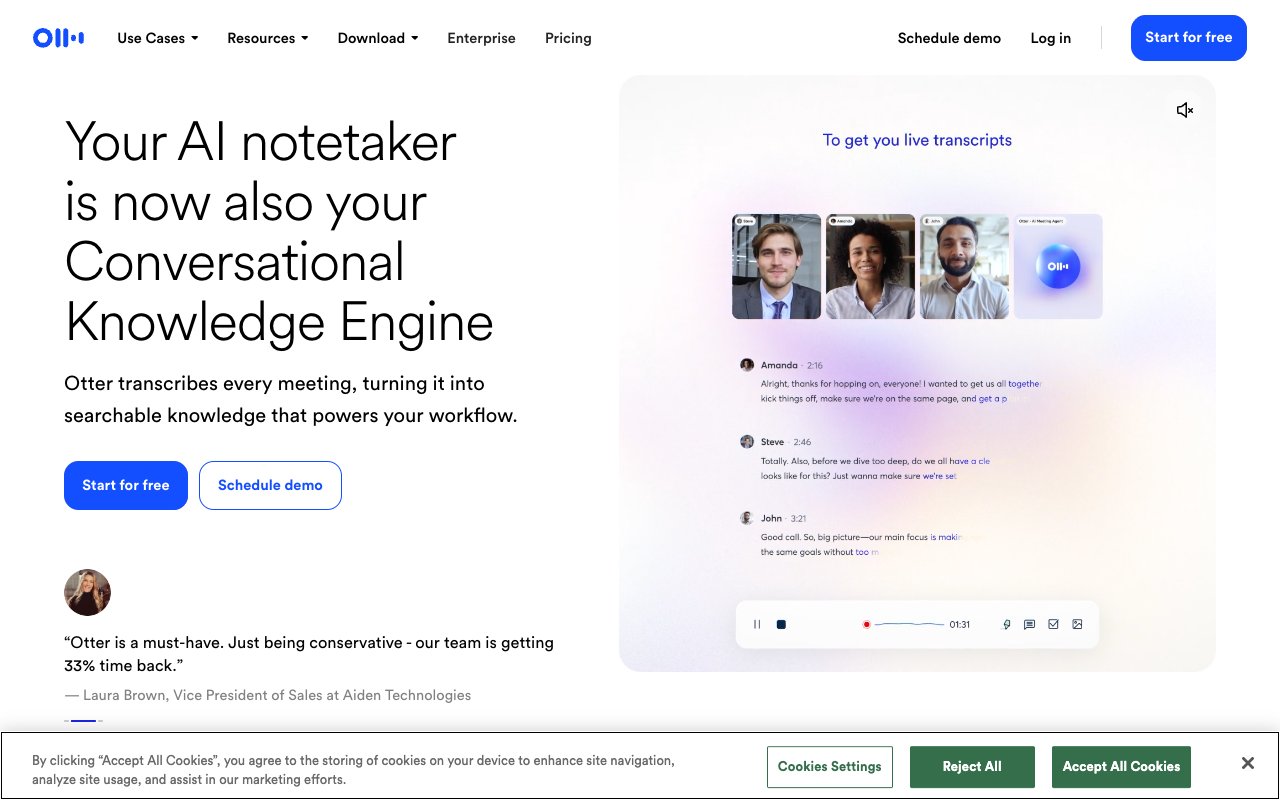
Otter.ai transcribes meetings in real time and generates summaries, action items, and follow-up emails automatically. It joins Zoom, Google Meet, and Teams calls as a bot and produces a searchable transcript within minutes of the meeting ending.
Tovorify score
Recommended
#3 in Productivity Tools
| Category | AI Productivity Tools |
| Pricing | Free plan (300 minutes/month). Pro at $16.99/month ($8.33 billed yearly). Business at $30/user/month ($19.99 billed yearly). |
| Free plan | Yes |
| Best for | Transcribing Zoom, Google Meet, and Teams meetings automatically, Generating meeting summaries and action items, Sales calls and customer interview notes, Journalists and researchers recording interviews, Teams that need a searchable record of all meetings |
Plans at a glance
USD per month
- Free$0
- Pro$16.99
- Business$30/user
Pros and cons
What works
- Joins Zoom, Meet, and Teams automatically as a bot — no manual recording needed
- Real-time transcription during the call with speaker identification
- AI generates summary, action items, and follow-up email draft after each meeting
- Searchable transcript library across all past meetings
Worth knowing
- Transcription accuracy drops with accents, crosstalk, and poor audio quality
- The meeting bot is visible to all participants — some meetings disallow bots
- Free plan limited to 300 monthly transcription minutes and 3 lifetime imports
- Not well suited for transcribing pre-recorded media with background music or noise
What Otter.ai does
Otter.ai is an AI transcription service that focuses specifically on meetings and conversations. It works in two modes: live transcription, where Otter joins a video call as a bot participant and transcribes in real time; and import transcription, where you upload a pre-recorded audio or video file and Otter transcribes it after the fact.
The live meeting mode is the core use case. When you connect Otter to your calendar, it automatically detects scheduled Zoom, Google Meet, and Microsoft Teams meetings and joins them as a participant — an Otter bot appears in the meeting room. During the call, Otter transcribes every speaker in real time, attempts to identify who is speaking, and displays the live transcript in the Otter app. After the meeting ends, it generates a summary, a list of action items, and a draft follow-up email.
The free plan allows 300 minutes of transcription per month — roughly five one-hour meetings — and 3 file imports in total. This is enough for occasional use. Pro is $8.33 per user per month billed annually ($16.99 monthly) with 1,200 minutes a month, 10 imports a month, 50 AI chat queries, and Salesforce, HubSpot, and Zapier integrations, subject to user limits. Business is $19.99 per user billed annually ($30 monthly) with unlimited meeting minutes and imports, 200 AI chat queries, a 4-hour cap per conversation, and admin controls. Current details are on Otter's pricing page.
From Pro, Otter connects to Zapier, so summaries and action items can flow automatically into tools such as a Notion workspace after each meeting. For teams that use Notion as their primary documentation tool, this creates a workflow where meeting notes are in the same system as project documentation without manual copy-paste. Full integration details are at otter.ai.
Transcription accuracy and speaker identification
Otter's transcription is strongest on clear English speech from a decent microphone in a quiet room. Meeting transcription is inherently more difficult than podcast transcription — multiple speakers, people interrupting each other, background noise, and varying audio quality from different participants.
Speaker identification — the ability to label which speaker said each line — works reasonably well when Otter can identify participants by name from the meeting invite. In practice, it gets speakers right most of the time in small meetings (two to four people) and becomes less reliable in larger meetings with many participants or when audio quality varies between speakers.
For content where transcription accuracy is critical — verbatim legal records, medical dictation, or published journalism — Otter is not the right tool. The error rate is too high for high-stakes verbatim records, and the speaker identification is not reliable enough for publication without a thorough review pass. For the more common use case — a sales team that wants a rough record of a customer call and a list of action items — the accuracy is good enough.
Otter does better with names and technical terminology if you use its custom vocabulary feature. You add a list of product names, company names, and technical terms that appear in your meetings, and Otter improves its accuracy on those specific words. For a software company with unusual product names or a medical team with specific terminology, this feature meaningfully improves the output.
For one-off recordings, a general assistant such as Claude or ChatGPT can summarise a transcript you already have. Otter's advantage is the automated meeting integration: you set it up once and it handles every meeting automatically without any manual steps.
Calendar integration and automatic meeting capture
The most significant time-saving feature in Otter is the automatic meeting capture. Once you connect your Google Calendar or Outlook calendar to Otter and authorise it to join meetings, it handles transcription without any action on your part. The meeting happens, Otter joins automatically, transcribes in real time, and the notes are ready in your Otter workspace by the time the call ends.
This matters because the alternative — manually starting a recording, uploading the file, waiting for transcription — adds friction that most users eventually stop doing. Otter's automation removes that friction. The result is a complete searchable record of every meeting, not just the ones you remembered to record.
The meeting bot is visible to all participants. Otter appears in the participant list as a named bot. Some meeting participants or organisations have policies that prohibit recording or AI bots in meetings. Before enabling automatic meeting capture in a work context, checking with your organisation's IT or legal team about recording policies is worth doing.
The Business plan ($19.99 per user billed annually, $30 monthly) adds admin controls for managing Otter across a team, plus unlimited meeting minutes. For sales teams where call recording is standard practice and already consented to by customers, the Salesforce and HubSpot integrations (available from Pro, subject to user limits) let call notes flow into CRM records.
For teams using Notion AI as their documentation hub, an Otter-to-Notion automation via Zapier can push meeting summaries and action items directly into a Notion database after each meeting — no manual transfer required.
AI chat and follow-up features
After a meeting, Otter provides more than a transcript. It generates a summary paragraph, a bulleted list of action items, and a draft follow-up email that can be sent to all participants. For most business meetings, these three outputs capture the essential outputs needed: what was discussed, what needs to happen next, and how to communicate that to the people involved.
The summary quality is adequate for internal use. It captures the main topics discussed and flags explicit commitments ("John will send the proposal by Friday"). It is less reliable at capturing nuance, identifying implicit commitments, or summarising complex technical discussions accurately. For a one-hour product review meeting with ten participants discussing architectural decisions, the AI summary will capture the broad topics but miss the specific technical conclusions. A team member with domain knowledge still needs to review and correct it.
Otter also includes an AI chat feature where you can ask questions about your meetings: "what did Sarah say about the Q3 budget?" or "what were the key objections raised?" This is useful for quickly locating a specific moment in a long meeting without reading the full transcript. Pro includes 50 AI chat queries a month and Business 200. The accuracy of this feature depends on the accuracy of the underlying transcript — if a name was misidentified or a key term was transcribed incorrectly, the AI chat may not surface the right result.
For users who also use Claude or ChatGPT, pasting a meeting transcript into the chat and asking for a structured summary is a free alternative to Otter's built-in AI features. The quality of the summary from a capable AI assistant is often better than Otter's built-in generation. Otter's advantage is automation — the transcript and summary arrive without any manual steps.
Who should not use Otter.ai
Do not use Otter for verbatim legal or medical transcription where accuracy is a compliance requirement. Automatic meeting transcription makes errors, which is too risky for contexts where every word matters. Professional transcription services with human review are more appropriate for high-stakes verbatim records.
Avoid Otter if your meetings frequently involve sensitive information and your organisation has not reviewed the data governance implications of a third-party bot joining calls and storing transcripts. Otter stores transcripts on its servers. For financial services, healthcare, or legal teams dealing with privileged or regulated information, data governance review is required before deployment — not optional.
Do not use Otter if meeting participants in your context are likely to object to a visible bot in the room. The Otter bot appears in the participant list. In client-facing meetings, sales calls with prospects who have not consented, or any meeting where participants are not aware that transcription is happening, the bot's presence can create friction or legal issues depending on jurisdiction.
And if you only need to transcribe occasional pre-recorded files rather than live meetings, the free plan's 3 lifetime imports are restrictive. For one-off transcription needs, a pay-per-use transcription service or an editor with built-in transcription such as Descript may be more cost-effective than an Otter subscription.
Our verdict
Otter.ai
4.3/5Otter.ai transcribes meetings in real time and generates summaries, action items, and follow-up emails automatically. It joins Zoom, Google Meet, and Teams calls as a bot and produces a searchable transcript within minutes of the meeting ending.
Best for
Transcribing Zoom, Google Meet, and Teams meetings automatically, Generating meeting summaries and action items
Pricing
Free plan (300 minutes/month). Pro at $16.99/month ($8.33 billed yearly). Business at $30/user/month ($19.99 billed yearly).
Frequently Asked Questions
Articles about Otter.ai
Otter.ai compared to alternatives

Founder, Tovorify — reviews every tool on this site