

Notion AI
4.0/5Productivity ToolsAI agent, search, and meeting notes inside your Notion workspace.
Notion AI is built into the Notion workspace. On the Business plan it includes Notion Agent for multi-step tasks, AI Meeting Notes, Enterprise Search across connected apps, and database autofill. If your team already runs on Notion, it puts AI where your documents already live.
Tovorify score
Recommended
#5 in Productivity Tools
| Category | AI Productivity Tools |
| Pricing | Full Notion AI comes with Business at $20/member/month. Free and Plus ($10) include an AI trial. |
| Free plan | No |
| Best for | Teams already on Notion Business, Meeting notes that land in project docs, Searching across Notion and connected apps, Drafting and summarising inside docs |
Pros and cons
What works
- Works inside the pages and databases your team already uses
- AI Meeting Notes transcribes and summarises without a bot joining the call
- Notion Agent handles multi-step tasks across pages, databases, connected apps, and the web
- Enterprise Search (beta) looks across Notion and apps such as Slack, Google Drive, and GitHub
Worth knowing
- Full AI requires the Business plan at $20 per member billed yearly; Free and Plus get only a trial
- Only useful if your team already works in Notion
- Custom Agents cost extra after the trial: $10 per 1,000 Notion credits a month
- For long standalone writing, Claude or ChatGPT are still stronger choices
What Notion AI does
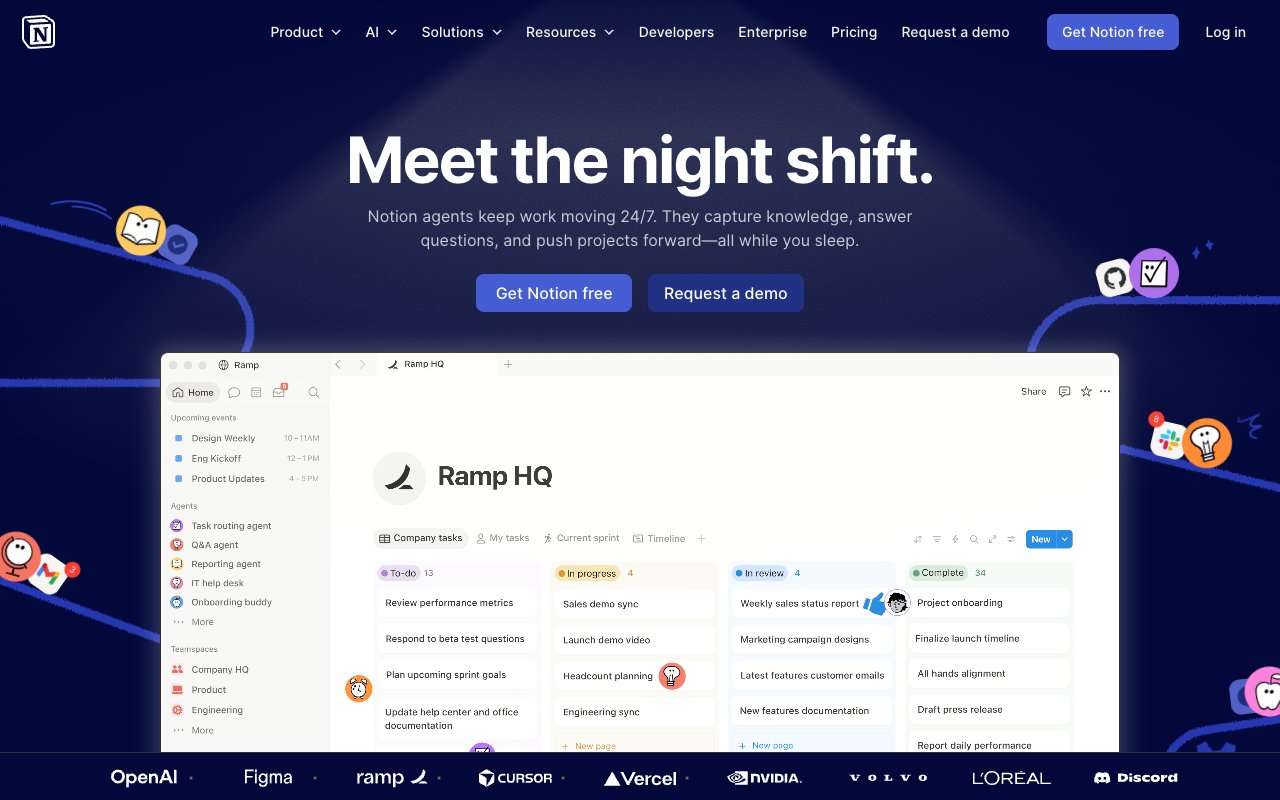
Notion AI is built into the Notion workspace rather than sold as a separate app. It works inside your existing pages and databases: you can ask it to draft a document from a brief, summarise a long page, rewrite a section, or answer a question about your work. The full overview is on Notion's AI page.
The product has grown well beyond a writing helper. On the Business plan it now has four main parts:
**Notion Agent.** Notion describes it as completing complex, multi-step tasks using context from Notion, your connected apps, and the web. It can create and edit pages and databases, so a request like "turn last week's meeting notes into a project brief and add the tasks to the tracker" is the kind of job it is built for.
**AI Meeting Notes.** It transcribes and summarises meetings in real time, identifies speakers, and needs no bot in the call. The notes are saved as a Notion page and can be sent to Slack or email.
**Enterprise Search (beta).** One search across your workspace and connected apps such as Slack, Google Drive, and GitHub.
**Database autofill.** AI-filled properties in databases, such as a summary or category for every row.
The key difference from Claude or ChatGPT is location. Those are general assistants you open in a separate window; Notion AI works where your team's documents already are, with access to their context.
Where Notion AI is most useful
Meeting notes that belong next to the project are the clearest use case. With AI Meeting Notes, the transcript and summary land as a page in the same workspace as the project docs, so the decisions from a call can be linked to the brief, the roadmap, and the task list without copying anything between tools.
Turning scattered notes into documentation is the second. If your team writes rough notes in Notion all week, Notion Agent can draft the clean version — a spec, a weekly update, an onboarding page — from pages that already exist.
Finding answers is the third. A question like "what did we decide about pricing last quarter?" used to mean searching page titles. With Enterprise Search, Notion AI can look across the workspace and connected apps and answer from what it finds, which is most useful for teams whose knowledge is spread across Notion, Slack, and Google Drive.
Everyday writing help still matters too: summarising a long page, rewriting a paragraph to be shorter or more formal, or drafting a first version of an email inside the doc you are already in.
Databases and AI autofill
Notion's databases are where many teams keep projects, clients, and content calendars, and Notion AI can fill database properties for you. A typical setup is an "AI summary" property on a project tracker that summarises each linked brief, or a category property that sorts incoming requests.
This turns unstructured pages into something you can filter and sort without retyping. It is most useful for trackers with many rows where nobody has time to write a summary for each one.
Two things to check before relying on it. First, database autofill is part of the Business plan; on Free and Plus it is a trial. Second, AI-filled values are only as good as the pages behind them, so review a sample before using an autofilled property for reporting.
For heavier automation, Business also includes Custom Agents. They are free to try, and after that Notion charges $10 per 1,000 Notion credits a month, so a team running many agents should estimate usage before switching them on.
Limitations
Notion AI is strongest inside Notion and weaker outside it. If your work lives mostly in other tools, the agent and search features have less context to work with, and a standalone assistant may serve you better.
For long, carefully written pieces — a thought-leadership article, a complex analysis — Claude or ChatGPT are still the stronger writing tools. Many teams write the draft there and keep the final version in Notion.
Enterprise Search is still labelled beta, so treat its answers as a starting point and open the sources it cites.
The biggest practical limit is cost. Full Notion AI is no longer a cheap add-on: it comes with the Business plan, which raises the per-member price compared with Plus. For a team on Plus that only wants occasional summaries, that upgrade is hard to justify.
Pricing
Notion changed its AI pricing: Notion AI is no longer sold as a $10 add-on. As listed on Notion's pricing page:
**Free:** $0. Includes a trial of Notion AI.
**Plus:** $10 per member per month billed yearly, or $12 monthly. Also includes only a trial of Notion AI.
**Business:** $20 per member per month billed yearly, or $24 monthly. This is the plan with full Notion AI: Notion Agent, Custom Agents, AI Meeting Notes, and Enterprise Search (beta).
**Enterprise:** custom pricing, with everything in Business plus zero data retention with LLM providers.
For a 10-person team, moving from Plus to Business for AI adds $100 a month on yearly billing ($10 more per member). That is a real decision, not a rounding error. Compare it with what the team would otherwise pay for a separate meeting notetaker such as Otter and a general assistant, and with how much of the team's work already happens in Notion.
If you are an individual who wants AI help, Notion Business is an expensive way to get it. A free or $20 standalone assistant is usually the better first step.
Who should skip Notion AI
If you do not use Notion, there is no case for Notion AI. It requires a Notion workspace and works inside Notion.
If your team is on Notion Plus and only wants occasional summaries, the jump to Business for AI is likely more than the feature is worth. Use the trial, then decide whether the team would actually use the agent, meeting notes, and search every week.
If writing quality is the priority, use Claude or ChatGPT for the writing itself and paste the result into Notion. Both are stronger standalone writers.
If your meetings are mostly sales calls that need to flow into a CRM, a dedicated notetaker with CRM integrations, such as Fireflies or Otter, fits better than Notion's meeting notes.
Our verdict
Notion AI
4.0/5Notion AI is built into the Notion workspace. On the Business plan it includes Notion Agent for multi-step tasks, AI Meeting Notes, Enterprise Search across connected apps, and database autofill. If your team already runs on Notion, it puts AI where your documents already live.
Best for
Teams already on Notion Business, Meeting notes that land in project docs
Pricing
Full Notion AI comes with Business at $20/member/month. Free and Plus ($10) include an AI trial.
Frequently Asked Questions
Articles about Notion AI
Notion AI compared to alternatives

Founder, Tovorify — reviews every tool on this site