

CapCut
4.2/5Video ToolsThe short-form video editor built for TikTok, Reels, and Shorts.
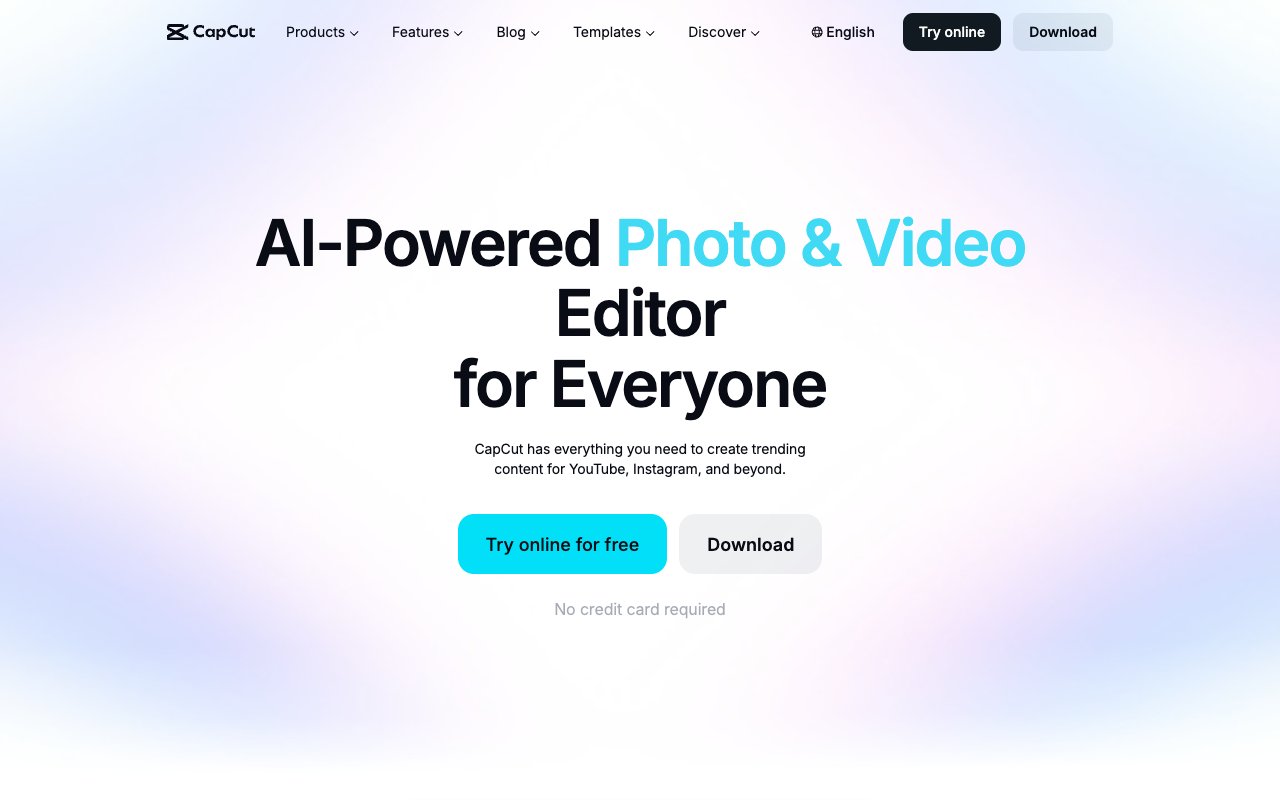
CapCut is a video editor by ByteDance for mobile, desktop, and browser, built around short-form social video. It has templates, auto-captions, background removal, transcript-based editing on desktop, and on paid plans AI credits and Seedance video generation.
Tovorify score
Recommended
#5 in Video Tools
| Category | AI Video Tools |
| Pricing | Free plan (templates and basic editing). Pro at about $19.99/month (varies by region) with 1,200 AI credits and Seedance video generation. Ultra for heavier AI use. Teams priced per seat. |
| Free plan | Yes |
| Best for | TikTok and Instagram Reels editing, Auto-captioning social videos, Quick background removal, One-tap AI templates for social content, Beginners editing video for the first time |
Pros and cons
What works
- Free plan covers templates and basic editing, with auto-captions marketed as free
- Huge template library tuned to social trends
- Available on mobile, desktop, and browser
- Desktop app edits by transcript and removes filler words in one click
Worth knowing
- Most AI features and AI credits sit on Pro, at about $19.99 a month
- Owned by ByteDance, the parent company of TikTok, which some organisations restrict
- Not suited for long-form or professional production work
- Prices vary by region and the final price shows only after sign-in
What CapCut does
CapCut is a video editing application made by ByteDance, the company behind TikTok. It runs on iOS, Android, Windows, Mac, and in the browser, and it is built for short-form vertical video: TikTok, Instagram Reels, and YouTube Shorts.
The core workflow is a simplified timeline. You import clips, trim and arrange them, add music, captions, and transitions, and export in the aspect ratio each platform uses. For experienced editors the interface is limited; for someone producing social content quickly, it removes most of the friction between recording and posting.
The free plan includes free templates and basic editing tools, and CapCut markets its auto-caption generator as free. On CapCut's pricing page, access to AI features, AI credits, all premium templates, and 1 TB of storage come with the paid plans.
The paid plans are now built around AI video generation. Pro includes 1,200 monthly AI credits and access to ByteDance's Seedance models — Seedance 2.5 and the cheaper Seedance 2.0 Mini — for generating video clips. Ultra raises the allowance to 8,645 monthly credits for heavier use. Teams is priced per seat and adds a brand kit. CapCut shows prices by region and confirms the final price after you sign in; in the US, Pro is about $19.99 a month.
For cinematic AI footage rather than social editing, Runway covers a different set of use cases.
AI features in CapCut
CapCut's AI features fall into two groups: editing helpers and generation.
The editing helpers are what most creators use every day. Auto-captions transcribe speech and add timed, styled captions, which you can then edit. Background removal cuts out a person from video or photos; it works well on clean shots and less well on fine hair or busy backgrounds. Auto-reframe turns a landscape video into a vertical one while keeping the subject in frame, which is useful when you repurpose longer content for Shorts and Reels.
On desktop, CapCut also has transcript-based editing: open the transcript layout, delete text, and the matching footage is cut, with one-click filler-word removal. It is a useful tool for talking-head clips, though Descript is still the editor built entirely around that workflow.
Generation is the newer group. With Pro or Ultra, you spend AI credits on Seedance video generation, text-to-video drafts, and other AI tools. CapCut lists how many seconds of video each plan can generate: Pro up to 240 seconds at 720p or 600 seconds at 480p with Seedance 2.0 Mini, and Ultra up to 1,700 seconds at 720p. For quick social clips that is plenty; for cinematic work, dedicated generators are stronger.
CapCut also has text-to-speech and custom voices for voiceovers. For scripts themselves, a general writing tool such as Claude produces better drafts than a built-in generator.
Which CapCut plan to choose
CapCut has four plans, and the right one depends on how much AI generation you plan to do, not on how much you edit.
**Free.** Templates, basic editing tools, and auto-captions. If you cut clips, add captions and music, and post, this may be all you need. Try it for a few weeks before paying.
**Pro (about $19.99 a month in the US).** Access to AI features, 1,200 monthly AI credits, all premium templates, and 1 TB of storage. CapCut says Pro can generate up to 240 seconds of video at 720p, or 600 seconds at 480p with Seedance 2.0 Mini. This fits a creator who posts several times a week and uses AI tools regularly.
**Ultra.** 8,645 monthly AI credits and exclusive AI features — up to 1,700 seconds at 720p with Seedance 2.0 Mini. It only makes sense if AI-generated video is a core part of your output.
**Teams.** Priced per seat, with 1,200 AI credits per seat, Pro features for every seat, and a brand kit. Choose it when several people produce videos for the same brand.
CapCut shows prices in local currency and says the final price, taxes, and offers appear after you sign in, so the number you see may differ from the US price. The pricing page also lists discounts for yearly billing. Start on monthly billing, check how many credits you actually use in the first month, and only then decide between Pro and Ultra or a yearly plan.
Data and privacy considerations
CapCut is owned by ByteDance, the parent company of TikTok, and it raises the same data-governance questions that have surrounded TikTok in several countries.
For individuals and small creators, the practical question is the same as with any free, advertising-driven app: read the privacy policy, know what you upload, and avoid putting confidential material into it.
For companies, government employees, and agencies working with client material, the ownership is a real consideration. Some organisations restrict ByteDance apps on work devices. Check your organisation's policy, and if you handle sensitive footage, ask your security or data-governance team before adopting CapCut for client work.
If ByteDance ownership rules CapCut out, Descript is the strongest alternative for talking-head and podcast clips, and Canva AI covers simple social video alongside graphics. Runway is the choice for AI-generated footage, at a higher price and with a more professional workflow.
Who should not use CapCut
Do not use CapCut for long-form or professional video production. It is optimised for short, mostly vertical videos. For YouTube videos longer than ten minutes, documentary work, or multi-camera projects, a full non-linear editor is the better tool.
Avoid CapCut if your organisation's policies prohibit ByteDance products, and do not ignore that question for work you produce for clients or employers.
If AI generation is your main reason to pay, compare the cost carefully. Pro at about $19.99 a month gives 1,200 AI credits; heavy generation pushes you towards Ultra or credit top-ups. A dedicated video generator may be better value if you rarely use CapCut's editor.
And if accurate transcripts and text-based editing are the centre of your work — podcasts, interviews, courses — Descript is built around that workflow, while CapCut offers it as one tool inside a social-video editor.
Our verdict
CapCut
4.2/5CapCut is a video editor by ByteDance for mobile, desktop, and browser, built around short-form social video. It has templates, auto-captions, background removal, transcript-based editing on desktop, and on paid plans AI credits and Seedance video generation.
Best for
TikTok and Instagram Reels editing, Auto-captioning social videos
Pricing
Free plan (templates and basic editing). Pro at about $19.99/month (varies by region) with 1,200 AI credits and Seedance video generation. Ultra for heavier AI use. Teams priced per seat.
Frequently Asked Questions
Articles about CapCut
CapCut compared to alternatives

Founder, Tovorify — reviews every tool on this site