

DeepL
4.6/5Writing ToolsThe translation tool that reads like a human wrote it.
DeepL is an AI translation service known for natural, idiomatic translations. It lists 100+ languages, translates Word, PDF, PowerPoint, and Excel files while keeping the layout, offers glossaries for consistent terms, and has an API, desktop apps, and plugins for Word, Outlook, and Google Workspace.
Tovorify score
Highly Rated
#4 in Writing Tools
| Category | AI Writing Tools |
| Pricing | Free plan (50,000 characters and 1 file a month). Individual at $8.74/month, Team at $28.74/user/month, Business at $57.49/user/month, all billed annually, in US dollars. The euro page shows €7.49, €24.99 and €49.99 with VAT included. Enterprise custom. |
| Free plan | Yes |
| Best for | Translating documents while preserving layout and formatting, Professional and business communication in multiple languages, Translation agencies and localisation teams, Legal, financial, and technical document translation, Writers and editors working across languages |
Plans at a glance
USD per month
- Free$0
- Individual$8.74
- Team$28.74/user
- Business$57.49/user
Pros and cons
What works
- Natural, idiomatic output, with a reputation built on European languages
- Document translation keeps Word, PDF, PowerPoint, and Excel formatting
- Glossaries keep terminology consistent (1 on free, 5 on Team, unlimited on Business)
- Works inside Word, Outlook, Google Workspace, Chrome, and desktop apps
Worth knowing
- Free plan is 50,000 characters and 1 file a month — a test, not a workhorse
- Individual caps at 300,000 characters and 3 files a month
- Quality varies by language pair; test your own pairs before paying
- Not a substitute for certified human translation
What DeepL does
DeepL is an AI translation service from Cologne, Germany that translates text and documents across 100+ languages, including Arabic, Hebrew, Chinese, Japanese, Korean, Vietnamese, and Indonesian alongside the European languages it built its reputation on. You can use it for free: the free plan covers 50,000 characters of text and one file translation a month. Paid plans start with Individual at $8.74 a month billed annually (€7.49 on DeepL's euro pricing page), and the Individual and Team plans come with a 30-day free trial. DeepL is known for translations that read more naturally than word-for-word output.
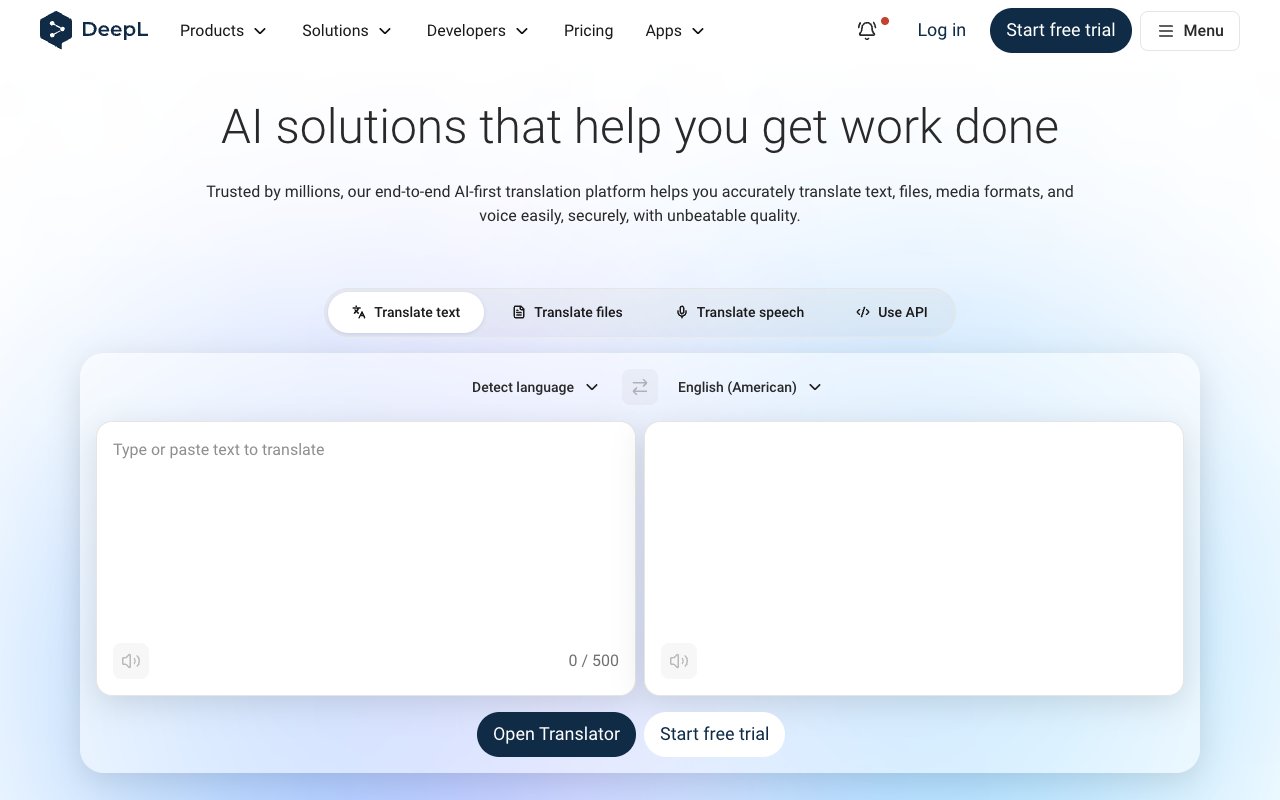
The core product is the translator at deepl.com: paste text, pick a target language, and the translation appears next to it. The free plan allows 50,000 characters a month (roughly 8,000 words), one file translation, and one glossary — enough to test quality on your own content, not enough for regular work.
Paid plans raise those limits. On DeepL's US pricing page in US dollars, billed annually: Individual is $8.74 a month with 300,000 characters and 3 file translations, Team is $28.74 per user with 1,000,000 characters, 20 files, and 5 glossaries, and Business is $57.49 per user with unlimited characters under a fair-use policy and 100 files. Enterprise is custom. DeepL's euro pricing page lists the same three plans at €7.49, €24.99, and €49.99 a month billed annually.
Document translation is the standout feature. Upload a Word, PDF, PowerPoint, or Excel file, and DeepL translates it while keeping the formatting — tables, fonts, and layout stay in place. For businesses that translate formatted documents often, this saves the manual work of pasting text back into a template.
DeepL has grown into a wider platform: DeepL Write for improving text, DeepL Voice for meetings and conversations, an API for developers, and apps for Windows, Mac, iPhone, and Android, plus plugins for Word, Outlook, PowerPoint, Google Workspace, and the major browsers.
Translation quality: what makes DeepL different
DeepL's reputation rests on naturalness. Many translation tools produce grammatically correct output that still reads as translated; DeepL aims for phrasing closer to how a native speaker would say the same thing. The difference shows most in sentence structure and idiom.
This matters more in some contexts than others. To understand a foreign-language document — a contract, a news article, a supplier email — almost any modern translator gets the meaning across. For text that native speakers will read — marketing copy, customer emails, product pages — the gap between correct and natural has real consequences.
Quality is not equal across all 100+ languages. DeepL's strongest reputation is on European pairs such as German, French, Spanish, Italian, Dutch, Polish, and Portuguese. For other languages, run the same sample through DeepL and an alternative on the free plan and compare before you pay.
For professional translators, DeepL is commonly used for machine translation post-editing (MTPE): the AI produces a first draft and a human translator reviews and corrects it. Better first drafts mean less editing time, which is where DeepL creates value even when a human stays in the loop.
DeepL Pro features for professional use
Three features matter most for professional work: higher character limits, document translation, and glossaries.
Glossaries let you define how specific terms must always be translated. If your product is called "Dashboard" and must always be "Tableau de bord" in French, you add it to a glossary and DeepL applies it every time. The free and Individual plans include one glossary with 5 entries per language pair; Team gives 5 glossaries with 1,000 entries; Business is unlimited under fair use. For brands, legal documents, and technical documentation, that consistency is often a requirement.
Document translation handles Word, PDF, PowerPoint, and Excel files, and the result keeps the original formatting. Maximum file size is 5 MB on free, 30 MB on Individual and Team, and 100 MB on Business. Text-based PDFs translate more reliably than scanned ones.
DeepL Write improves text for clarity, style, and tone, and paid plans can add a Write Pro add-on. It overlaps with Grammarly, though Grammarly focuses on correcting and improving English across every app, while DeepL Write sits inside the DeepL product family.
For teams translating large volumes — a SaaS company localising its interface, a law firm translating agreements — the API connects DeepL to content and translation management systems, with pricing documented at deepl.com/pro-api.
Which DeepL plan to choose
Most people overpay or underpay for DeepL because they guess at their volume. A quick way to choose is to count characters, not documents.
**Free (50,000 characters a month).** About 8,000 words. Enough to translate a few emails a week or to test DeepL on a real sample before paying. One file translation a month means it is not a document tool.
**Individual ($8.74 a month billed annually).** 300,000 characters (roughly 50,000 words) and 3 file translations a month. This fits a freelancer or professional who translates client emails and the occasional short document. If you translate more than three files a month, it runs out quickly.
**Team ($28.74 per user billed annually).** 1,000,000 characters per user, 20 file translations, and 5 glossaries with 1,000 entries each. This is the plan for a small team that translates documents every week and needs consistent terminology across people.
**Business ($57.49 per user billed annually).** Unlimited characters and glossaries under a fair-use policy and 100 file translations a month. It suits companies where translation is a daily workflow across departments.
A practical test: export a month of the text you actually translate, count the characters (most word processors show this), and add 20% for growth. If the number is under 300,000 and you translate few files, Individual is enough. If several people need shared glossaries, start with Team. DeepL also says annual billing saves about 16% compared with paying monthly, so commit to a year only after a month or two of real use.
DeepL vs Google Translate
DeepL and Google Translate are the two most widely used AI translators, and the comparison is clear on most points.
Language coverage: Google Translate covers more languages than DeepL, so for rare languages Google is often the only option. DeepL's 100+ languages now cover most business needs, including Arabic, Hebrew, and major Asian languages.
Quality: DeepL's advantage is naturalness, especially on European language pairs. On other pairs the gap is smaller, so test your own content.
Document translation: DeepL's formatting preservation for Word, PDF, PowerPoint, and Excel files is one of its main strengths, and the main reason businesses pay for it.
Free tier: Google Translate is free for everyday use. DeepL's free plan is 50,000 characters a month, so heavy personal use quickly pushes you to a paid plan or back to Google.
Workflow: DeepL's desktop apps and plugins for Word, Outlook, and Google Workspace let you translate where you write instead of switching to a browser tab. For people who translate many times a day, that convenience matters.
Who should not use DeepL
Do not use DeepL as a substitute for a professional human translator in legal, medical, or certified contexts. AI translation, including DeepL at its best, makes errors that a human reviewer must catch. For court submissions, immigration documents, medical records, or certified translations, use a qualified translator.
If you translate only occasionally and in short snippets, the free tiers of DeepL or Google Translate are enough, and a paid plan is not worth it. Remember that DeepL free is capped at 50,000 characters a month.
If your language pair is outside DeepL's strongest set, do not assume its reputation applies. Test a real sample first.
And if your main need is improving your own English rather than translating — fixing grammar, tightening phrasing, adjusting tone in emails — Grammarly fits that workflow better, since it works inline across your apps. For drafting new content from scratch, Claude or ChatGPT are the better starting points.
Our verdict
DeepL
4.6/5DeepL is an AI translation service known for natural, idiomatic translations. It lists 100+ languages, translates Word, PDF, PowerPoint, and Excel files while keeping the layout, offers glossaries for consistent terms, and has an API, desktop apps, and plugins for Word, Outlook, and Google Workspace.
Best for
Translating documents while preserving layout and formatting, Professional and business communication in multiple languages
Pricing
Free plan (50,000 characters and 1 file a month). Individual at $8.74/month, Team at $28.74/user/month, Business at $57.49/user/month, all billed annually, in US dollars. The euro page shows €7.49, €24.99 and €49.99 with VAT included. Enterprise custom.
Frequently Asked Questions
DeepL compared to alternatives

Founder, Tovorify — reviews every tool on this site